 
|
|
 Capture ScreenShot Pro Capture ScreenShot Pro
 |
Capture screenshots by mouse or keyboard. Save, share and print.
Capture ScreenShot Pro is the world’s #1 choice for automated screenshot capturing on Windows. Over 10 million downloads since 1997! |
- Capture screenshots in full screen or any window size
- Edit screenshots in the editor
- Save screenshots as JPG, BMP, PNG and many more
- Package screenshots in ZIP compressed files
- Easy screen capturing with print-screen key
- Automate each screen capture step
|
Start saving time immediately: Buy now (instant download)
How Capture ScreenShot Pro works
Capture ScreenShot Pro saves you time because it lets you automate everything.
- Capture ScreenShot Pro starts with Windows. Press the print screen key to take a screenshot.
- Select the area or Window you want to use in your screenshot.
- Modify the size, add borders and change the size of your screen capture.
- Let Capture ScreenShot, copy the screen capture in into the Windows clipboard.
- Save the screenshot in as BMP, JPG, PNG or even as a ZIP File.
- Print the screenshot directly on your printer.
Good to know
- Shots/views can be captured in full-screen, active window or cursor selections. Optionally use the editor to grab specific window parts.
- Save and re-open the results in your favorite graphic application.
- Define and automate your own screenshot process. Every step in the process can be executed automatically.
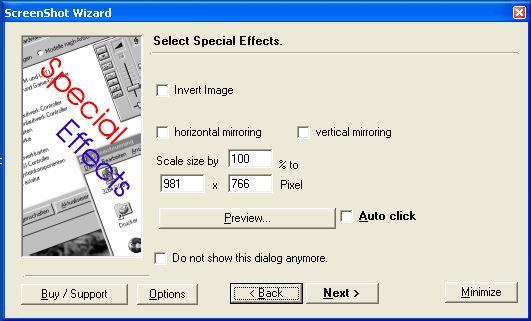
- The included wizard guides you through the process.
- Capture ScreenShot is made for all users and popular with computer journalist, documentation creators and for home users.
- The mouse cursor can be included on the screenshot
- Capture screenshot runs in your system tray
- Includes an uninstaller
- Runs on any Windows version
Download 30 days free trial version (<1 Minute to download)
Buy now Buy for 46 USD (instant delivery)
|
|
|








